Find your soundtrack.
669 tracks in 11 playlists, from chilled study music and lo-fi to classical, hip-hop and more. Plus 15 BrainSync noise and frequency sounds.
 Digital
CHROME EXTENSION / VERSION 1.0.2

Your StudyBud soundtrack, right in your browser toolbar. Press play, close the popup and get on with your day.
Free · Chrome 116+ · No account needed · Local installation
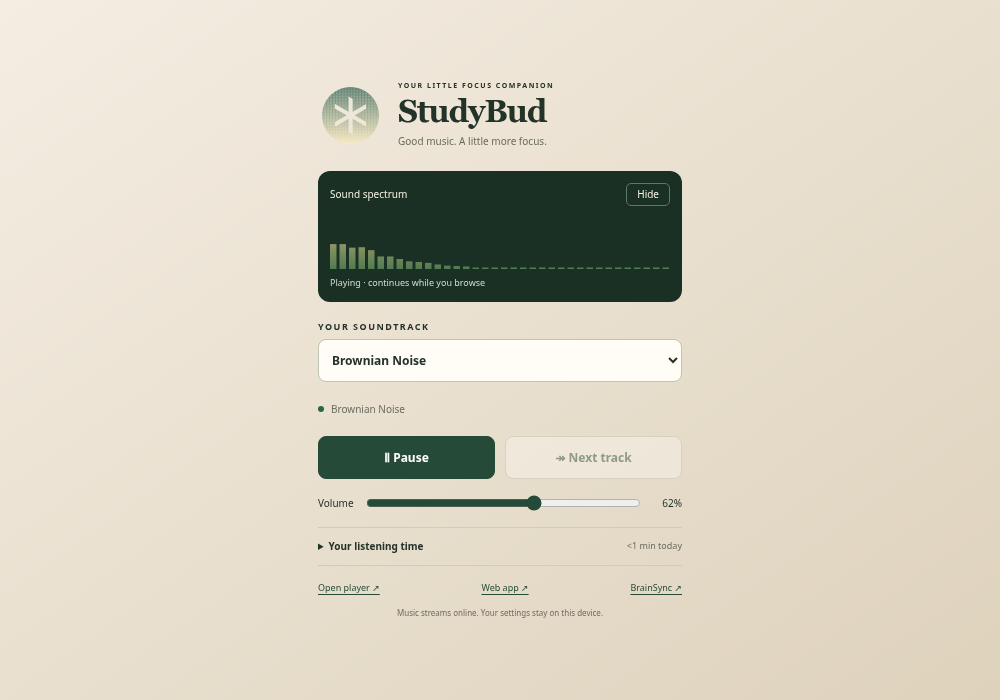
669 tracks in 11 playlists, from chilled study music and lo-fi to classical, hip-hop and more. Plus 15 BrainSync noise and frequency sounds.
Audio continues when you close the popup or switch tabs. Pause, skip and change volume from the toolbar, or open a larger player tab.
See your listening totals and remember your settings on this device. Listening time excludes pauses and buffering.
UP AND RUNNING
This is a ZIP download for local installation, rather than a Chrome Web Store listing. The music streams online; the ZIP contains the player and catalogue.
chrome://extensions into Chrome’s address bar, then turn on Developer mode.studybud-extension folder containing manifest.json.Keyboard: Ctrl+Shift+Y plays or pauses (Command+Shift+Y on Mac). Change shortcuts and assign Next track at chrome://extensions/shortcuts.
Local settings: Preferences and listening totals are saved in this Chrome profile, separately from the web app. No sign-in or browsing-history access is required.
Internet access: Music streams from StudyBud’s audio service. Chrome must stay open for playback. Keep the extracted extension folder in place.
Permissions: Background audio, local storage and access to the StudyBud audio host. All extension code is included in the package; it contains no analytics scripts.
Optional extension usage statistics are off by default. Enable them in the extension footer to share interface opens and visible interface time with OzAnalytics. No analytics icon or overlay is displayed. Analytics privacy details.