4,261 starting points.
Writing, Project, Reflection, Medium, Observations, Constraint, Topic, Perspective and Action. Choose one category or mix several.
 Digital
CHROME EXTENSION / VERSION 1.0.2

A little nudge for writing, projects and creative thinking. Pick your categories and find a fresh place to start, right from your browser toolbar.
Free · Chrome 109+ · Works offline · No account needed
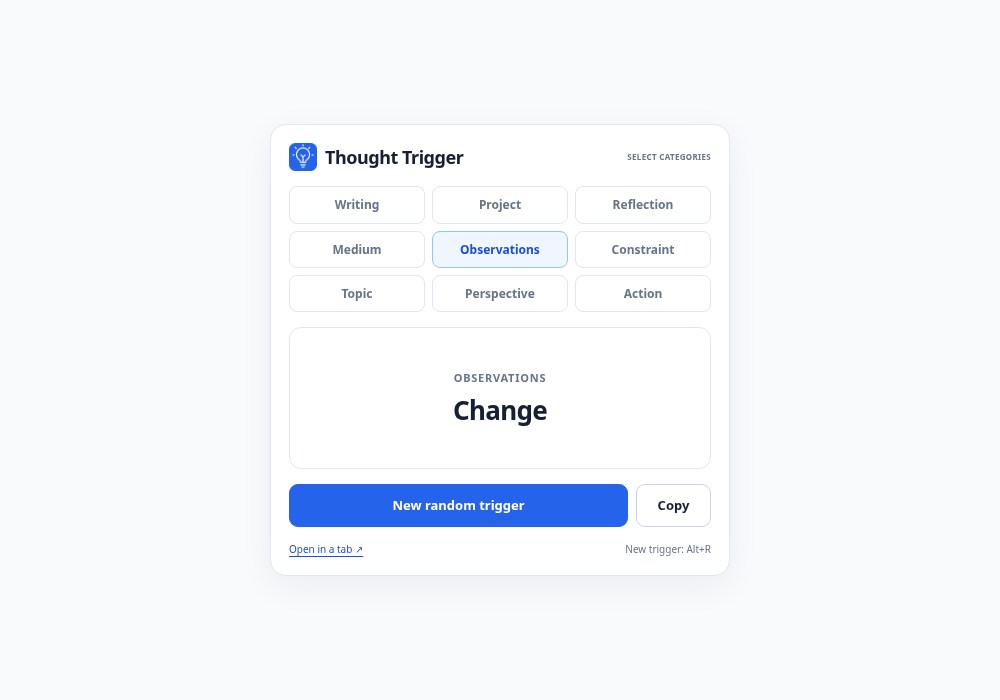
Writing, Project, Reflection, Medium, Observations, Constraint, Topic, Perspective and Action. Choose one category or mix several.
Your category choices are remembered between uses. Recent triggers are avoided when other choices exist, keeping the ideas fresh.
Copy the displayed trigger in one click. Press Alt+R for another, or open it in a larger tab. Every trigger is included, so it works offline.
READY WHEN YOU ARE
This is a ZIP download for local installation, rather than a Chrome Web Store listing. The complete generator and trigger library are included.
chrome://extensions into Chrome’s address bar and turn on Developer mode.thought-trigger-extension folder containing manifest.json.Keyboard: Alt+R generates a new trigger while the popup or larger tab is open. Category buttons and actions also work with normal keyboard navigation.
Local settings: Category choices and the last 30 triggers are stored in this Chrome profile. The original prototype’s full trigger library is preserved.
Works offline: The prompt generator has no network dependencies or accounts. Optional OzAnalytics statistics are off by default. Light and dark themes follow your device preference.
Permissions: Local storage remembers your choices; clipboard access supports the Copy button. No website permissions or browsing-history access are requested.
Optional extension usage statistics are off by default. Enable them in the extension footer to share interface opens and visible interface time with OzAnalytics. No analytics icon or overlay is displayed. Analytics privacy details.